
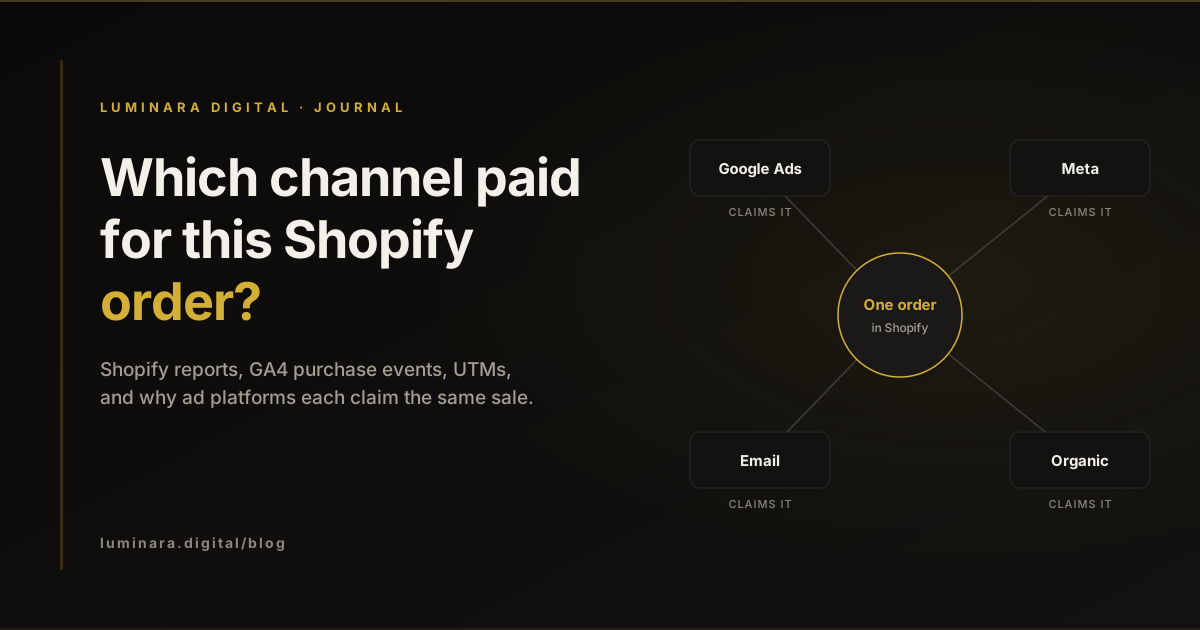
Why every platform claims the same sale
Add up the purchases reported by Google Ads, Meta and your email platform for last month, then compare the total with the orders in Shopify. For most stores the platforms add up to more than the orders. Nobody is lying. Each platform is answering a different question with its own rules.
Google Ads credits a conversion to its own ads within a conversion window. Google's conversion windows default to 30 days after a click and 1 day after a view, and its attribution models page says data-driven attribution is the default for most conversion actions. Meta does the same for its ads: its attribution settings credit website conversions that happen within 1 or 7 days after a link click, or within 1 day after an impression, and Meta has announced that click-through now counts link clicks only, with likes, shares and saves moved to a separate engage-through window. Meta's page on differences with third-party reporting lists crediting purchases to ad impressions without a click as one reason its numbers differ from yours.
So a customer who saw a Meta ad on Monday, clicked a Google Shopping ad on Wednesday and bought from an email on Friday can be claimed by all three. Each claim follows that platform's rules. Only Shopify counts the order once. The rest of this post is about getting from those overlapping claims to a view you can make budget decisions on.
Start with the order: Shopify's conversion summary
Before any report, look at individual orders. Every order in Shopify has a conversion summary that shows the customer's visits to your store in the last 30 days and where the first visit came from. The conversion details view adds the referrers of each session, the landing pages and any UTM parameters.
Open twenty recent orders and read them. You will quickly see patterns that reports hide: how many orders start from paid social and finish from email, how many have no source at all, and whether your UTMs are arriving intact.
Know the limits. Shopify says the summary can take up to 48 hours to appear, and it can be limited or missing when the customer blocks cookies, on headless storefronts, for many channels outside the online store, and for draft orders. A missing source is a measurement gap, not proof that the order came from nowhere.
Shopify's marketing reports and attribution models
Shopify's marketing reports attribute sales to channels using referrer data and UTM parameters, and offer five attribution models: last non-direct click, last click, first click, any click and linear. "Direct" means the customer typed your store's address into their browser. You can change the model in the report's settings, and the marketing performance page explains how Shopify attributes marketing activity.
The model changes the answer. Last click gives the sale to whatever the customer touched last, which favours email and branded search. First click gives it to whatever introduced them, which favours paid social and discovery. Any click gives every channel full credit, which is the platform view again. Pick one model for budget conversations, write it down, and always say which one a number came from.
Two details from Shopify's help are worth knowing. If a visitor does not buy within 30 days of a session, the first interaction referrer resets to the next referrer. And sales in the marketing reports only include sales from traffic that can be attributed to marketing, so they will not match your total sales report.
GA4: the purchase event and how to read it
Google Analytics sees your store through events. The one that matters here is purchase. Google's ecommerce guide and events reference describe it: transaction_id and items are required, and currency is required whenever you send value. On Shopify, Google's setup guide for Shopify says the Google & YouTube app installs the Google tag when you connect GA4, and warns you to remove legacy tags to prevent duplicate measurement. Google Analytics deduplicates purchases with the same transaction ID on web streams, which is why a stable order ID matters.
Then choose how GA4 gives credit. In the reporting attribution model settings you can use data-driven or last click across paid and organic channels, or last click across Google paid channels only, and a change applies to historical as well as future data. The attribution settings page sets the lookback window for most key events at 90 days by default, with 30 and 60 days as the other options.
The most common reading mistake is mixing scopes. Google's page on traffic-source dimension scopes explains that "first user" dimensions describe how a user was first acquired, "session" dimensions describe how each visit started, and unprefixed dimensions are what key events are credited to under your chosen model. Answer "which channel brings new customers?" with first user dimensions, and "which channel closes purchases?" with the key event view. They will not agree, and they should not.
UTMs: the cheapest fix you can make
Many attribution problems are not model problems. They are labelling problems: links without UTMs, or UTMs spelled five different ways. Google's guide to custom campaign URLs lists the parameters GA4 recognises and says you should always use utm_source, utm_medium and utm_campaign. Shopify reads the same parameters for its campaign reporting, including sales by UTM parameters.
Write a short naming convention and stick to it: lowercase, no spaces, one agreed value per channel (for example utm_medium=email for every email platform). Tag every link you control: emails, SMS, organic social, influencer links, QR codes. For Google Ads, leave auto-tagging on. It adds a click identifier to the landing URL, and when both are present GA4 uses the auto-tagged values over manual UTMs, as Google's page on manual tagging and auto-tagging explains.
A monthly reconciliation that takes an hour
Once a month, put the same period from each source side by side. Match time zones and dates first: Shopify's page on analytics discrepancies lists reporting time zones, cookies, ad blockers and bot handling among the reasons Shopify and Google Analytics differ.
Shopify orders
- What it counts
- Every order, once
- Use it for
- The truth for revenue and order count
Shopify marketing reports
- What it counts
- Orders by channel under the model you pick
- Use it for
- Channel mix on one consistent model
GA4 purchases
- What it counts
- Tagged web purchases, credited by your GA4 model
- Use it for
- Comparing channels and journeys on the website
Google Ads conversions
- What it counts
- Conversions after Google ad interactions, in its window
- Use it for
- Optimising within Google Ads, not comparing with Meta
Meta Ads results
- What it counts
- Conversions after Meta ad clicks or views, in its window
- Use it for
- Optimising within Meta, not comparing with Google
A practical checklist
Do these once, then keep the monthly reconciliation going.
- 01
Read twenty conversion summaries
Note how many orders have a first visit source, UTMs and more than one session.
- 02
Pick one model for budget decisions
Choose it in Shopify and GA4, write it down, and label every number with it.
- 03
Check the GA4 purchase event
transaction_id is the Shopify order, value and currency are set, and there is only one Google tag sending purchases.
- 04
Write a UTM convention
Lowercase, one value per channel, source, medium and campaign on every link you control.
- 05
Leave Google Ads auto-tagging on
Let the click identifier do the work for Google Ads traffic.
- 06
Reconcile monthly
Shopify orders first, then each platform against it, same dates and time zone.
- 07
Judge platforms against orders
If platform totals grow while Shopify orders stay flat, you are seeing overlapping credit, not more sales.
Conclusion
No single tool tells you which channel paid for an order, because each one answers a different question. Use Shopify orders as the truth, read individual conversion summaries, pick one attribution model for budget decisions, get the GA4 purchase event and your UTMs right, and reconcile monthly. That is enough to stop arguing about whose number is right and start moving budget with confidence. Our tracking and GA4 service sets this up for Shopify stores, and you can get in touch if you would like us to look at yours.
Common questions
Each platform credits conversions to its own ads within its own attribution window, and Meta can credit a purchase to an ad view without a click. One order can be claimed by several platforms. Shopify counts each order once.
There is no single right model. Choose one for budget decisions, set it the same way in Shopify and GA4 where you can, and label every number with the model it came from. Use first user data in GA4 to see which channels bring new customers.
Yes. Google recommends always using utm_source, utm_medium and utm_campaign on campaign links, and Shopify uses the same parameters in its campaign reporting. Leave Google Ads auto-tagging on for Google Ads traffic.
Shopify says the conversion summary can be limited or missing when cookies are blocked, on headless storefronts, for many non-online store channels and for draft orders. Untagged links also lose their source.
Sources
- About conversion windows. Google Ads Help. Accessed .
- About attribution models. Google Ads Help. Accessed .
- About attribution models and attribution settings. Meta Business Help Centre. Accessed .
- Changes to click-through attribution. Meta for Business. Accessed .
- About conversion count differences between Meta Ads Reporting and third-party reporting tools. Meta Business Help Centre. Accessed .
- Viewing order conversion summary. Shopify Help Center. Accessed .
- Marketing reports. Shopify Help Center. Accessed .
- Measuring marketing performance. Shopify Help Center. Accessed .
- Measure ecommerce. Google for Developers. Accessed .
- Recommended events reference: purchase. Google for Developers. Accessed .
- Shopify: Set up your Google tag. Google Analytics Help. Accessed .
- [GA4] Minimize duplicate key events with transaction IDs. Google Analytics Help. Accessed .
- Change the reporting attribution model for key events. Google Analytics Help. Accessed .
- Select attribution settings. Google Analytics Help. Accessed .
- Scopes of traffic-source dimensions. Google Analytics Help. Accessed .
- URL builders: Collect campaign data with custom URLs. Google Analytics Help. Accessed .
- Understanding campaigns. Shopify Help Center. Accessed .
- About auto-tagging. Google Ads Help. Accessed .
- Traffic-source dimensions, manual tagging, and auto-tagging. Google Analytics Help. Accessed .
- Analytics discrepancies. Shopify Help Center. Accessed .
Tags: ShopifyGA4AttributionUTM parametersGoogle AdsMeta AdsMeasurement